
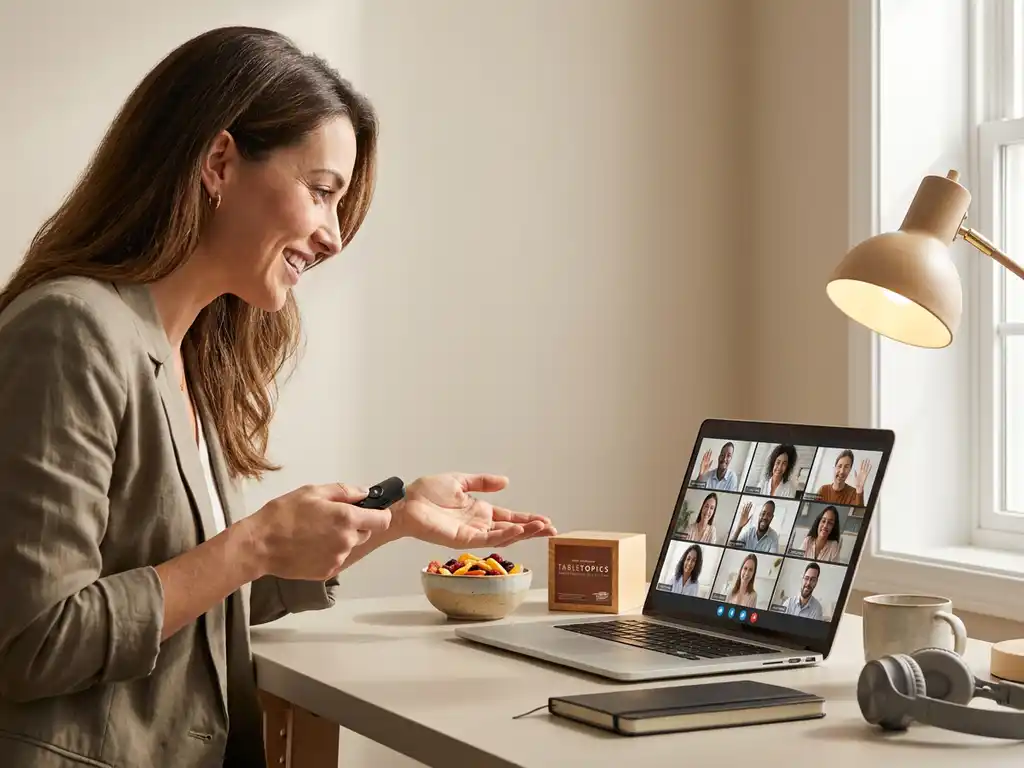
Keep engagement high in virtual company events by designing for participation, not just attendance: use a tight agenda with frequent interaction, clear roles for hosts and facilitators, and simple tools that make it easy to speak up. When people contribute every few minutes, attention stays up and energy follows.
This approach works best for internal events where employee engagement matters: town halls, change updates, culture sessions, and management training moments that need real buy-in. The goal is to reduce communication fatigue and turn one-way messaging into shared momentum.
The questions below break down what to plan, what to run live, and how to sustain participation before and after the event.
What makes virtual company events engaging in the first place?
Engaging virtual company events feel interactive, purposeful, and human: attendees know why they are there, they contribute often, and the experience has a clear emotional tone. The fastest way to increase employee engagement online is to combine a strong internal communication strategy with frequent, low-friction participation moments and a host who keeps pace.
In practice, engagement comes from a few fundamentals that also support culture building and workplace transformation:
- Clarity: one main message, three supporting points, and a clear call to action that fits your communication strategy
- Relevance: content tied to real work, real decisions, and real tradeoffs, especially during cultural change
- Participation: a predictable rhythm of polls, chat prompts, and small group moments so people do not drift
- Psychological safety: norms that make it safe to ask, disagree, and share, which strengthens team culture building
- Energy: pacing, variety, and business-friendly humor that keeps attention without undermining seriousness
If your event supports a cultural change program or leading through change, engagement also depends on whether people feel heard. Build in visible listening, then show what will happen next with their input.
How do you design a virtual event agenda that keeps energy high?
Design a high-energy virtual agenda by keeping segments short, alternating formats, and scheduling interaction every 5 to 8 minutes. A strong agenda supports change communication tools by turning key messages into moments people can react to, practice, and repeat. The best agendas also protect attention by limiting slides and prioritizing live facilitation.
Use this structure as a reliable baseline for management training, employee communication training, or a company culture workshop:
- Fast opening: set the purpose, the rules of participation, and the first question in the first 2 minutes
- Message block: one idea, one story, one example, then an interaction to process it
- Practice block: breakout or paired discussion to apply the idea to current work
- Share back: quick reporting that creates social proof and cross-team learning
- Decision and next steps: what changes, who owns it, and when people will hear more
To reduce information overload, treat every segment like a headline: if it cannot be summarized in one sentence, it is too long. For storytelling in change, replace long context with a simple narrative arc: what is changing, why now, what stays the same, and what support exists.
Which interactive activities work best for virtual company events?
The best interactive activities for virtual company events are simple, fast to explain, and directly tied to the outcome: alignment, culture transformation, or skill practice. Choose activities that create many small contributions rather than a few long speeches. This keeps employee engagement high and supports an internal communication strategy that actually lands.
Here are proven formats that work across team culture, organizational culture training, and creative change management:
- Pulse polls with follow-up: ask one question, then ask one person to explain their vote in one sentence
- Chat waterfall: everyone types an answer, then hits enter together to avoid groupthink
- Breakout triads: groups of three with roles: speaker, listener, and summarizer
- Scenario sprints: small groups respond to a realistic change scenario in 6 minutes, then share one tactic
- Myth versus reality: list common assumptions about the change, then clarify what is true and what is not
- Two truths and a tension: teams name two things working in company culture and one tension to address
- Story swap: participants share a short story of a customer moment or internal win that reflects desired team culture
When using humor in business, keep it inclusive and in service of clarity. Use humor to lower defensiveness, not to mock concerns. A good rule: laugh at the situation, not at the people.
How do you keep remote attendees participating before, during, and after the event?
Keep remote attendees participating by building a participation journey: prime them before the event with a clear ask, make it effortless to contribute during the session, and follow up with visible actions afterward. This approach improves employee engagement and strengthens culture building because people see that their input shapes decisions, not just discussion.
Before the event: prime participation
Do not invite people to watch. Invite them to contribute. Send one short message that sets expectations and reduces friction.
- Ask one pre-question: “What is the biggest obstacle right now?” to surface themes for change communication
- Give a simple role: ask everyone to bring one example, one question, or one risk
- Share the rules: cameras optional, chat encouraged, and how breakouts will work
During the event: create a rhythm
Participation drops when people do not know when they will be asked to engage. Build a predictable cadence and protect it.
- Use named prompts: call on functions or regions, not individuals, to reduce pressure
- Rotate channels: chat, polls, voice, and breakouts so different personalities can contribute
- Make managers visible: for leading through change, have leaders answer one tough question live
After the event: close the loop
Post-event follow-through is where internal communication strategy becomes credible. Summarize, decide, and show progress.
- Send a one-page recap: top decisions, open questions, and next milestones
- Publish an FAQ: address repeated concerns to reduce rumor cycles during cultural change
- Assign owners: each action has a name and a date, not a vague intention
How Boom for Business helps with engagement in virtual company events?
We keep engagement high in virtual company events by combining professional hosting, business-friendly humor, and interactive formats that support your communication strategy and change goals. Whether you are running change management training, management training, or a company culture workshop, we design moments where people participate often, feel safe to speak, and leave with clear next steps.
- High-energy facilitation: experienced hosts who manage pacing, transitions, and audience dynamics
- Interactive design: agendas built around participation loops, not slide time
- Storytelling that lands: practical storytelling in change so messages feel real and memorable
- Culture and change support: formats that strengthen team culture building and reduce resistance during workplace transformation
- Workshops for skills: sessions that build employee communication training and collaboration habits teams can use immediately
If you want a virtual event that feels alive and drives real alignment, visit Boom For Business and explore our workshops to plan the right format for your team.
Frequently Asked Questions
How do you choose the right platform and features for an interactive virtual event?
Start with your interaction plan, then pick the platform that supports it reliably. Prioritize: stable audio/video, easy polls, moderated Qu0026A, breakout rooms, and simple chat controls. Run a 20-minute tech rehearsal to test the exact features you’ll use (polls, breakouts, screen share) with the same roles and devices as the live event.
What’s the best way to handle Qu0026A so it doesn’t derail the agenda?
Use a structured Qu0026A system: collect questions in a dedicated Qu0026A tool or form, have a moderator cluster them into 3–5 themes, and answer them in time-boxed blocks. If a question needs follow-up, acknowledge it live, assign an owner, and commit to a written answer in the post-event recap.
How do you engage a large audience (200–2,000+) without losing interactivity?
Design for “many small inputs.” Use polls, chat waterfalls, and short prompts every few minutes, then spotlight a few representative comments. Add support roles: a host for pacing, a facilitator for breakouts (if used), and 1–2 moderators to curate chat/Qu0026A and surface patterns back to the host.
How can you measure whether the event was actually engaging (beyond attendance)?
Track participation signals: poll response rate, chat contributors, Qu0026A submissions, breakout completion, and drop-off over time. Pair that with one post-event pulse question (e.g., “I know what happens next” on a 1–5 scale) and review themes from open-text feedback to adjust the next session.
What should you do when people won’t turn cameras on or stay silent?
Treat cameras as optional and design multiple low-pressure ways to contribute. Start with anonymous or low-stakes inputs (polls, emoji reactions, chat prompts), call on groups (teams/regions) instead of individuals, and explicitly normalize quiet participation while still asking for frequent micro-responses.
How do you make virtual events accessible across time zones and different needs?
Offer a live session plus an async path: record the core message, publish a one-page recap, and provide a short form for questions and input for 48–72 hours. Use captions, readable slides, and clear verbal descriptions of visuals. If time zones are wide, run two shorter live sessions with the same interaction moments and shared follow-up.
What’s a simple follow-up plan that keeps momentum after the event?
Within 24 hours, send a one-page recap with decisions, owners, and dates. Within a week, publish answers to top questions and a progress update on 1–3 actions. Schedule a brief check-in (15–20 minutes) to report what changed based on input—this is the fastest way to build trust and increase participation next time.
Related Articles
- What leadership behaviors help when leading through change?
- What is the difference between event moderation and event facilitation?
- What should a team workshop achieve in the first two hours?
- How do team building activities boost employee morale?
- How do professional hosts adapt to different venue sizes?